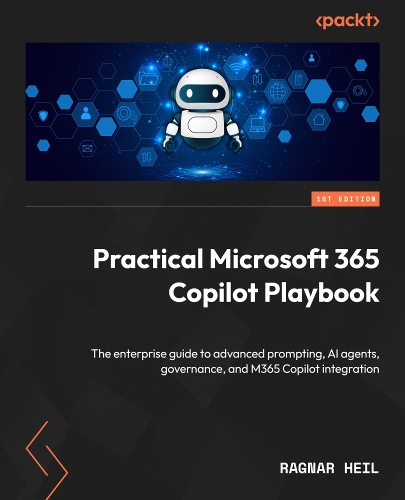
Practical Microsoft 365 Copilot Playbook: The enterprise guide to advanced prompting, AI agents, governance, and M365 Copilot integration
Synopsis
Master Microsoft 365 Copilot with enterprise strategies for AI governance, custom agents, advanced prompting, rollout planning, and app integration across Word, Excel, Teams, and beyond.
Get With Your Book: PDF Copy, AI Assistant, and Next-Gen Reader Free
Key Features
Master advanced prompting with memory, custom instructions, and Copilot Lab techniques
Build autonomous agents and multi-agent systems using Copilot Studio and Agent Store
Implement AI governance frameworks with Purview, Defender, and compliance controls
Book DescriptionMicrosoft 365 Copilot represents a fundamental shift in how organizations work, offering AI-powered assistance across every M365 application. This comprehensive guide goes beyond basic usage to deliver the strategic depth IT leaders, architects, and power users need for successful enterprise deployment.
You will start by mastering prompt techniques with Copilot Lab, Memory, and Custom Instructions to produce accurate, consistent results. Then you’ll prepare your organization’s data and apply governance with Microsoft Purview and Defender to ensure secure, compliant adoption. Next, you’ll learn to plan controlled rollouts with budget management, change strategies, and the Copilot Control System. You’ll also dive into building autonomous agents and multi-agent orchestration systems using Copilot Studio, enabling intelligent task automation across your organization. Finally, you’ll put it all into practice across core Microsoft 365 apps, Word, Excel, Teams, Outlook, PowerPoint, SharePoint, and OneDrive, while extending productivity gains with Loop, Forms, Planner, and Stream.
By the end, you'll have actionable skills to deploy Copilot strategically, customize agents for specific workflows, maintain a robust security posture, and drive measurable productivity gains while ensuring compliance and user adoption across your enterprise.What you will learn
Deploy Copilot with governance, security, and compliance frameworks
Engineer advanced prompts using Lab, Memory, and Custom Instructions
Build custom agents and orchestrate multi-agent workflows
Integrate Copilot across Word, Excel, Teams, Outlook, and PowerPoint
Implement data readiness strategies with Graph and Semantic Index
Configure Purview labels, DLP policies, and access restrictions
Plan phased rollouts with budget controls and change management
Automate workflows with SharePoint agents and Power Automate
Who this book is forThis book is for Microsoft 365 administrators, modern workplace engineers, SharePoint admins, IT leaders, enterprise architects, business analysts, operations leaders, productivity consultants, and Copilot integration partners. Readers should have a working knowledge of M365 applications (Word, Excel, Outlook, Teams, SharePoint, OneDrive) and a general understanding of enterprise IT environments, including data access, security, and compliance concepts. No prior AI or Copilot experience required, though familiarity with cloud productivity tools and change management practices will maximize value.
Publisher information
- Publisher: Packt Publishing Limited
- ISBN: 9781806709151
- Dimensions: 235 x 191 mm
- Languages: English
Customer Reviews
You may also like...